Lorong Tun Perak (Tun Perak Alley)...



Featured Post
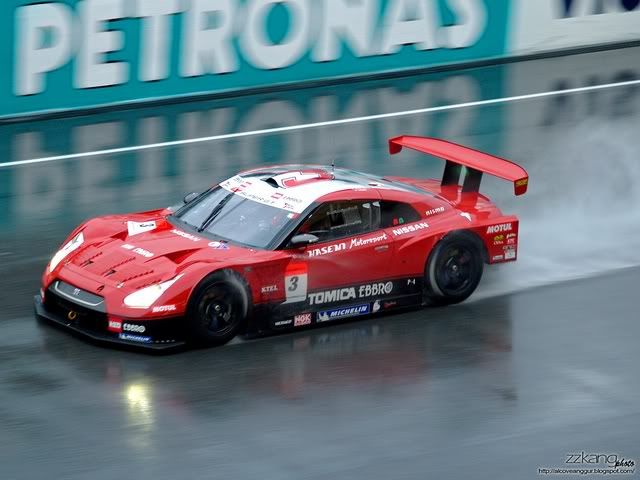 Super GT Round 4 Malaysia 2009
Last year I'm able to visit the Sepang F1 Circuit pit lane. It was an awesome experience to me as I can get very close to the machines and of course, race queens... Read More...
______________________________________________________________________________________________
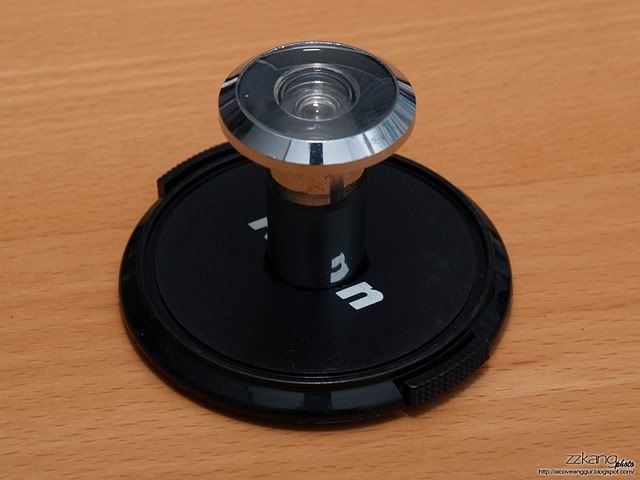 D.I.Y. Fisheye Lens
Since I bought my E-500, I had been dreaming of a fisheye lens. But until now, I still cannot afford one. What I like about the fisheye lens are the effect of the round distortion and it can cover super ultra wide angle of sight... Read More...
______________________________________________________________________________________________
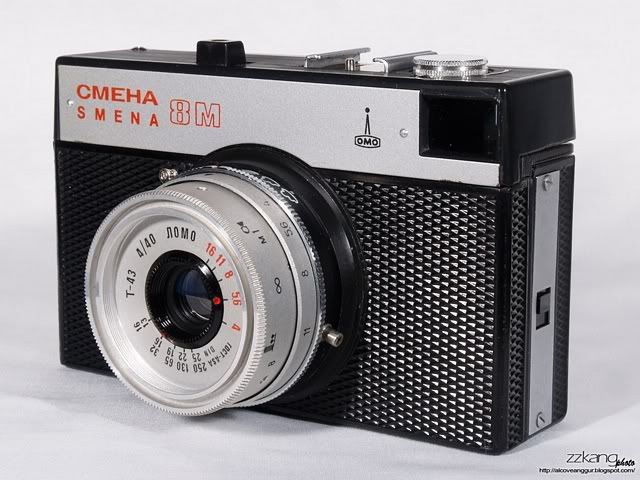 Lomo Smena 8m
The word "Smena" (Cmeha) is roughly translated into "Young Generation" in English. True to its name, the Smena line of cameras were designed to provide inexpensive, accessible, and excellent photography tools to the hard-working young Soviets of the time... Read More...
______________________________________________________________________________________________
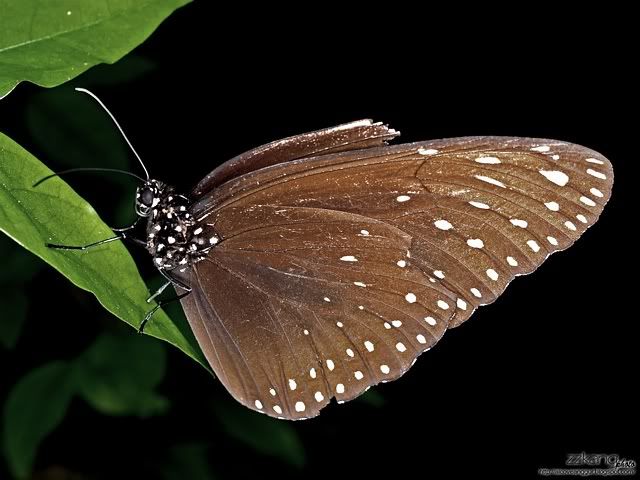 Kuala Lumpur Butterfly Park
Not long after i bought the Olympus Macro Flash System, I went to Kuala Lumpur Butterfly Park to test out the system for outdoor macro photography... Read More...
2008-05-07


2008-05-05

2008-05-04

2008-05-03
How to Create Lomography Effect on Digital Images...
Recently, I'm quite attracted to lomography. This type of photography is so unique and fascinating. The quality of lomography image is so bad and this kind of bad quality that make it so special...
To shoot lomography, you need a special camera and film. For more information, visit this site...
Last two days, I've been looking around for the tutorial of creating lomography effect on digital images. I find articles from Photoshop Tutorial, Addicted to Design and Digital-Photography_School are quite useful. After going thru those articles, I decided to create my own lomography effect for my digital images. Below are the steps I took to create the lomo effect...
First of all, you need to open a digital image. For your info, I'm using Adobe Photoshop CS...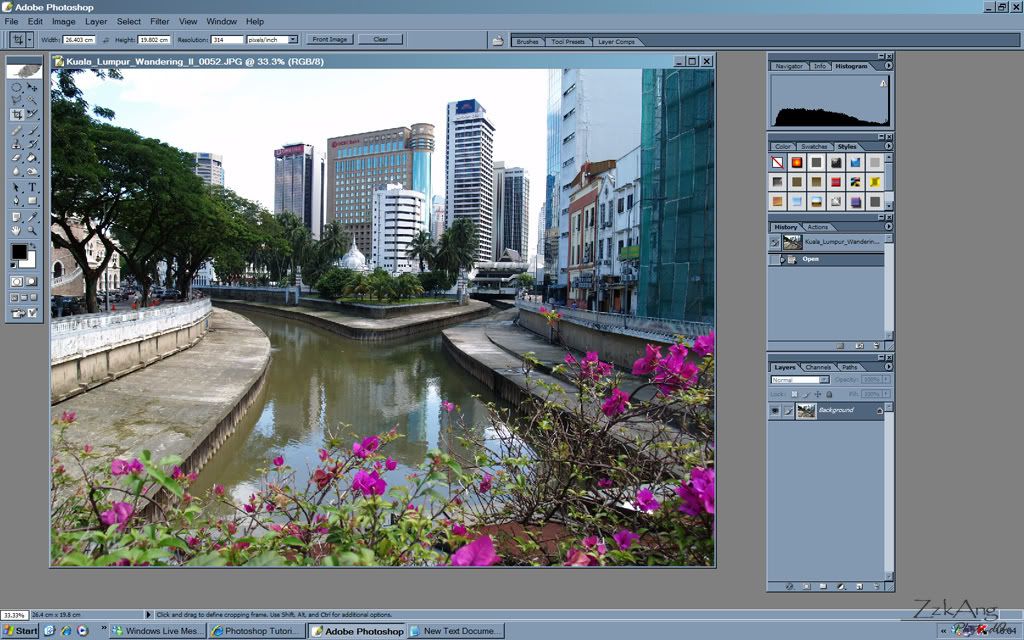
Then, duplicate a layer of the original image. The duplicate image will be used to do touchup-ing. If you don't like the first touchup, you can always duplicate one more copy from the original image without open the new one...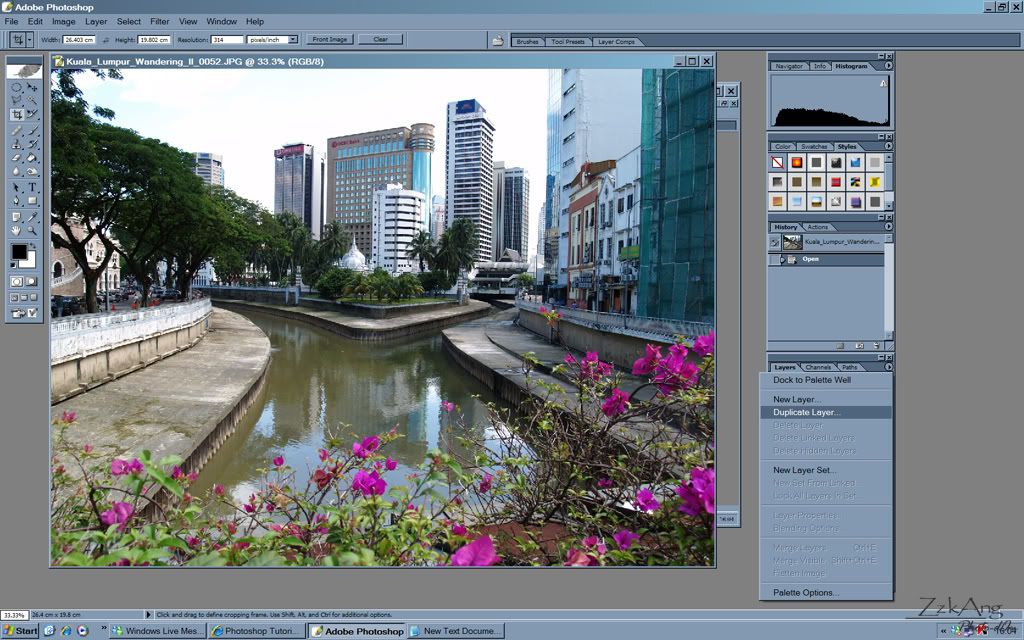
To make a good lomography effect on digital image, it is important to create a film-like effect on the digital one first. After going thru references above, I come out with my own way to create the film-like effect. Firstly, I sharpened the image using Unsharp Mask...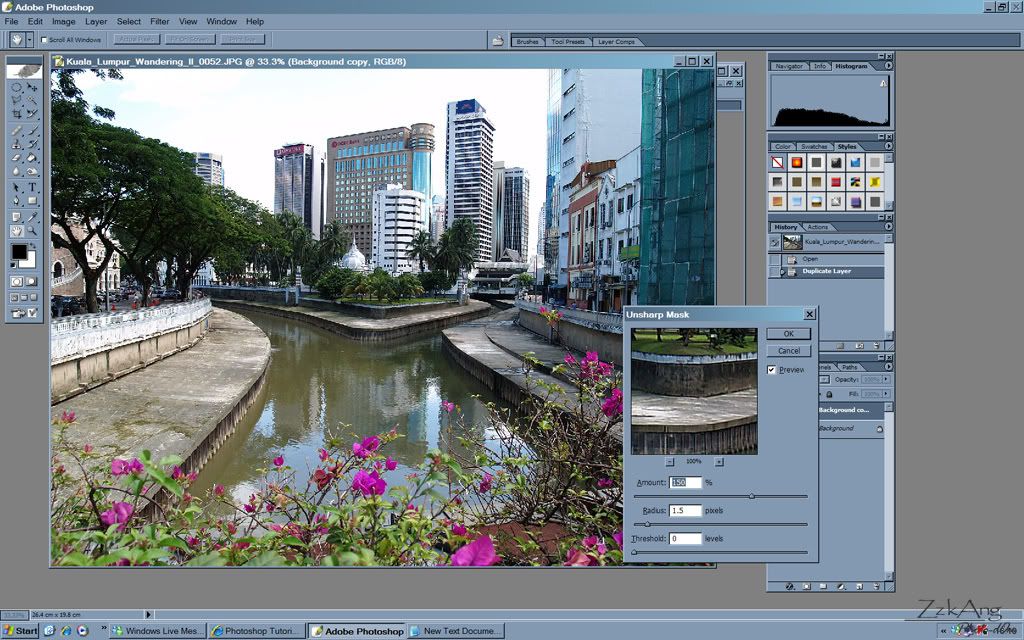
Then, i add some noise to the image...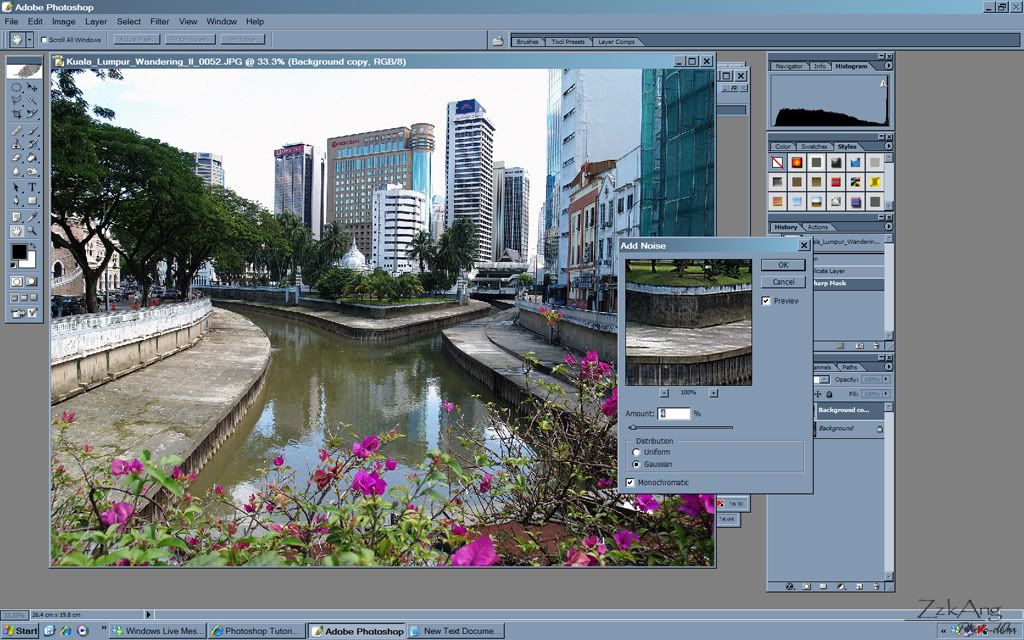
Lens Blur effect is added to make the image not so 'digital'...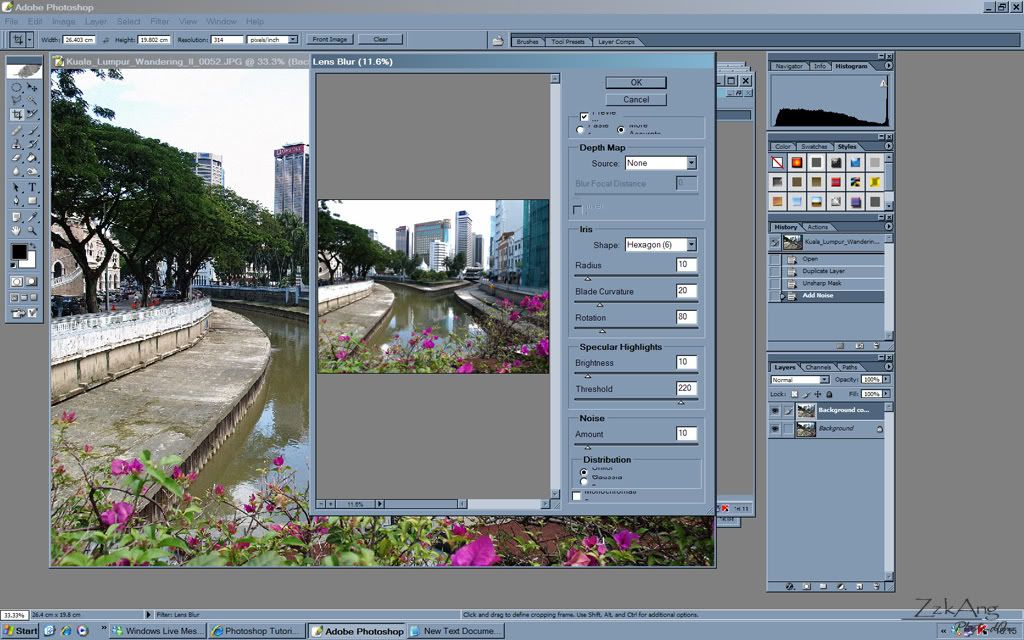
More noise added...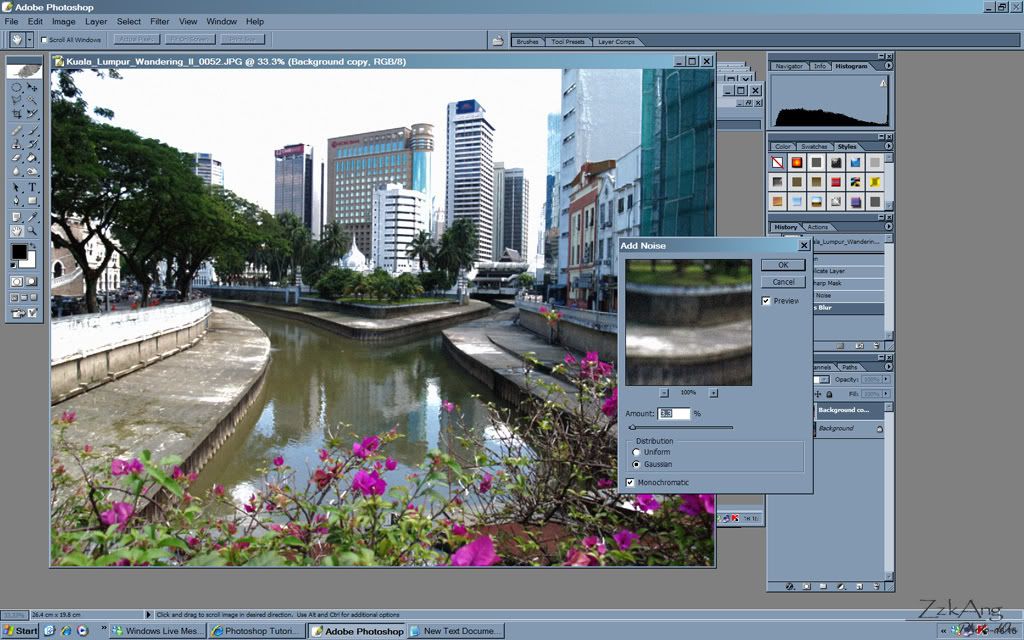
After that, we need create lomography colour on the image. Inside the Channel palette, select the red channel. Then, go to Image > Adjustment > Brightness/Contrast to adjust the contrast of your liking...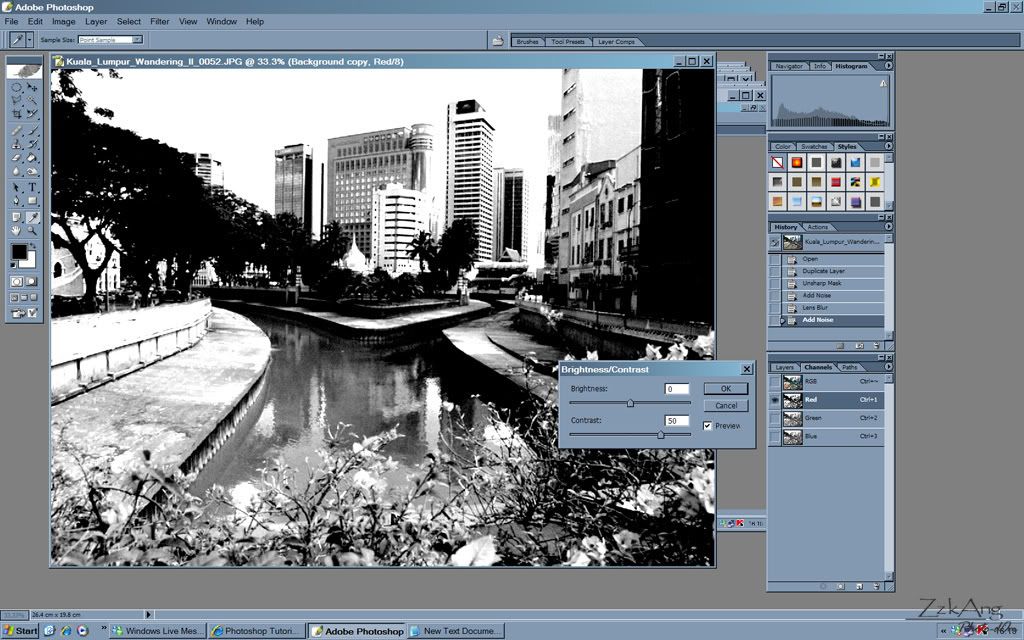
Then, select the green channel and do the same on Brightness/Contrast. Click on RGB channel to go back to colour/RGB mode and you will get lomo-like colour on your image...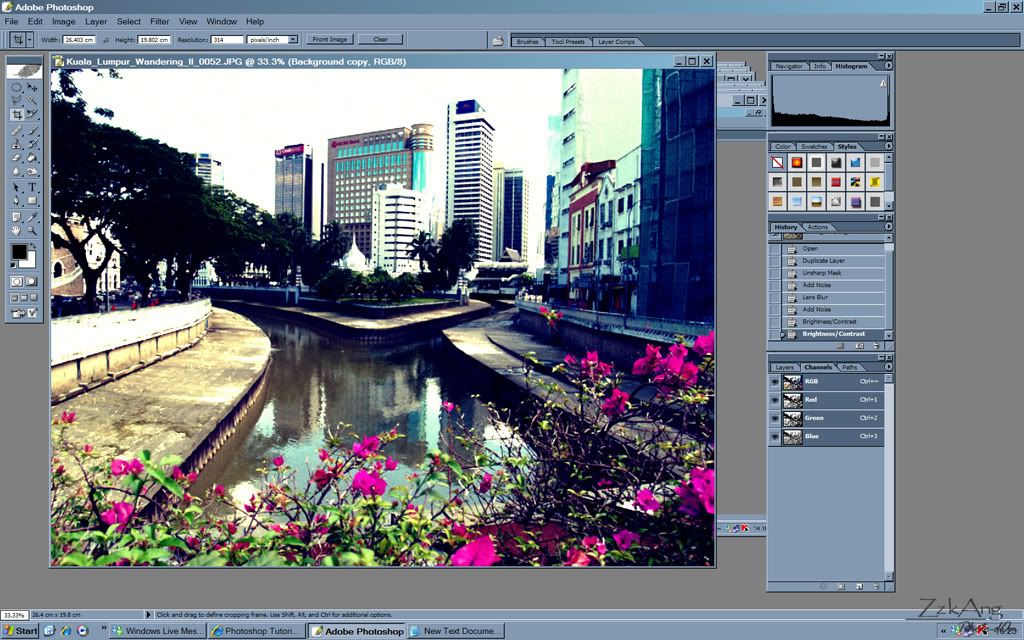
If you like vignette effect on your lomography image, you can create vignette on your image. Go to Select tool and select the area close to the edge of the image. Then, set Feather to 80px and inverse the selection...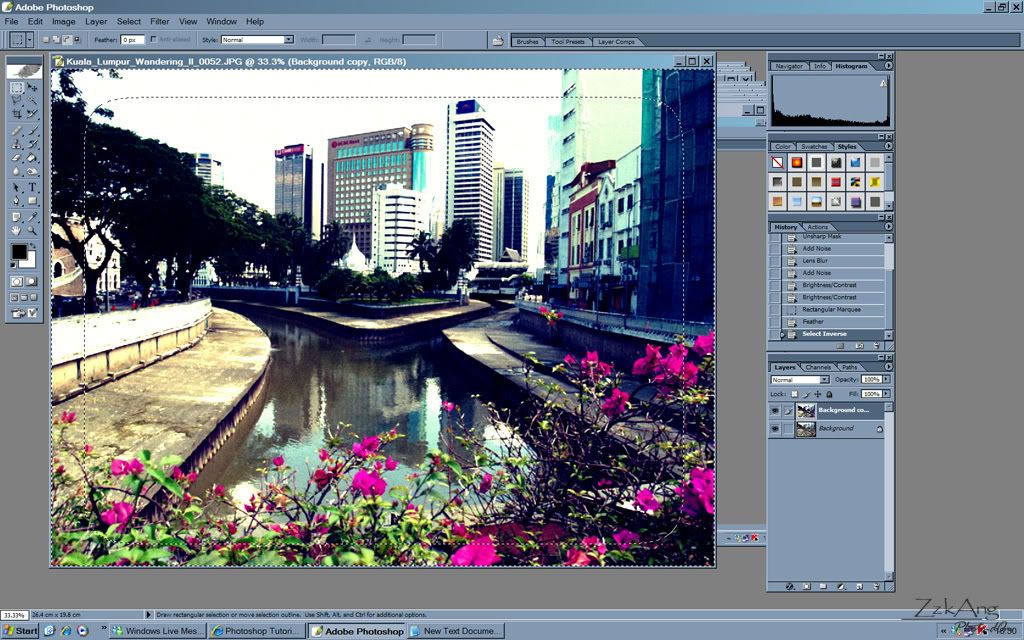
Go to Layer > New Adjustment Layer > Levels to create vignette effect by adjusting input levels and output levels to your liking...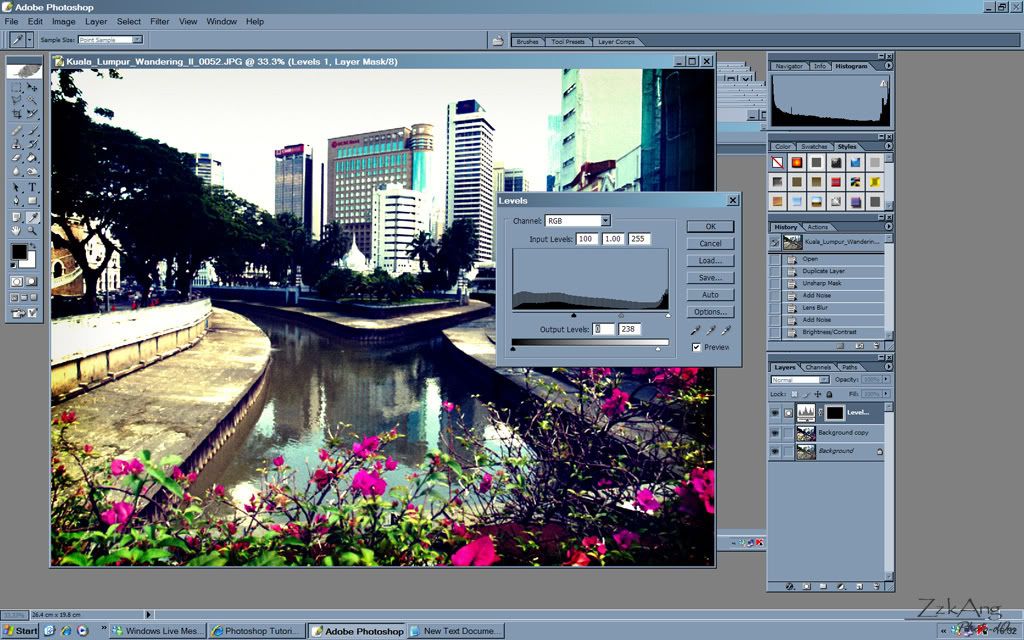
Almost finish. You can add more adjustment to your image like Curves, Brightness/Contrast and Hue/Saturation depends on your liking. For myself, I like more contrast and unsaturated on my lomography image...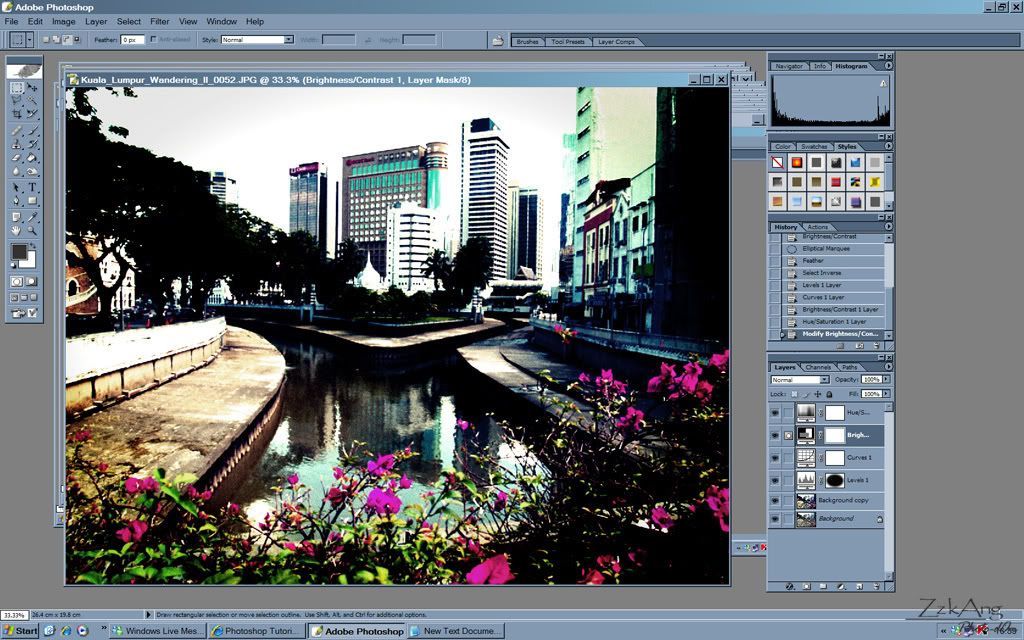
I'm not good in giving tutorial, I hope you understand what I posting about...After this, I will start my new assignment on lomography...Do visit back :)
2008-04-30
Beijing 2008 Olympic Torch Relay, Malaysia Leg: Part 3
PART 1: Red Army of Passion
PART 2: Flame of Passion
After the opening ceremony, the relay starts with running around the field of Dataran Merdeka. Then, I started to pack up my camera to proceed to my next stop when I saw a bunch of photographers gathered in one spot. So, me too went to see what really happened there and I saw Dato' Mohd Yasin Mohd Salleh holding his torch posing for the photographers...
PART 3: Relay of Passion
The torch...
Dato' Mohd Yasin Mohd Salleh happily waiting for his turn...
KL Mayor passing the flame to Dato' Mohd Yasin Mohd Salleh...
Before I moved to my second stop, I managed to take a shot of Samsung Promo-girls...
Red Army marching to their next stop...
At my second stop, Jalan Hang Tuah...
List of torchbearers...
Special bicycle...
The matured Samsung Promo-girls...
And Lenovo Promo-girls...
Mr. Jalani Sidek getting ready for the relay...
Mr. Jalani Sidek starts his relay after Mr. Fu Chee Cheng successfully passed the flame to him...
Lim Yee Chung (林宇中), Malaysian famous artist, waiting for his turn...
Lim Yee Chung (林宇中) responding to his fans...
The Protector of Flame guy turns on Lim Yee Chung (林宇中)'s torch...
Mr. Jalani Sidek passing the flame to Lim Yee Chung (林宇中)...
Then I moved to my last stop, KLCC park. The sky started to rain when I reached there. The place was so crowded and cannot take good photos here :( ...
Crowded KLCC...
H. E. Cheng Yonghua running in the rain with his torch to the closing ceremony stage...
Balloons released mark the end of the torch relay...
China supporter getting ready for a photo session...
China babe...
Closing ceremony performance...
Interviewing OCM Secretary General, Datuk Sieh Kok Chi, toughman in Malaysian sports...
The Protector of Flame team leaving with the Olympic flame (Can you see the flame?)...
I had some thoughts (sorry for my poor English :) )...
After observing what happened during this event, I can see that people of one country can become real strong and patriotic when their country became the target of world's criticism. What triggered the Chinese (mostly students) to come out so strongly in the countries which host the later stage of the torch relay, such as Malaysia, Indonesia, Australia, Japan and South Korea, is from the aftermath of what happened in London, San Francisco and especially Paris. The demonstrations and protests by Pro-Tibet and Pro-human rights groups in these cities had forced the Chinese in foreign country to come out to 'protect' the Olympic flame from being disturbed by the groups.
I asked myself...Why the Pro-Tibet and Pro-human rights groups had to go to the extend of putting off the Olympic flame?.. Why can't they hold a peaceful demonstration?.. Is Tibet getting anything from the demonstration held by the groups?.. What's wrong if China have bad records of human rights, while other so called democratic countries have same bad records of human rights?.. Is attacking a country (by so called democratic country) with lame reasons, not violating human rights?.. Why other people need to be so busybody of one country's human rights record, when one country have their own law system in determining what's correct and wrong?.. Why can't China have a peaceful Olympic Games?...and the questions go on...But frankly, there's don't have any obvious answers...
I know, you knows and hopefully everyone knows that China and Chinese people, openhearted-ly and sincerely, welcomes the World to Beijing. Let's all just put aside the 'Politics Games'...and let's enjoy the upcoming Olympic Games...BEIJING 2008
2008-04-29


2008-04-27
Beijing 2008 Olympic Torch Relay, Malaysia Leg: Part 2
PART 1: Red Army of Passion
Other than what you saw in Part 1, there are also some goodies and pre-opening performance prepared by sponsors...
Samsung is one of the main sponsor...
Everyone can be torchbearer...
Dragon...

Recycle performance by Coca-Cola...
The opening ceremony starts at about 2:15pm...
PART 2: Flame of Passion
Mr. Wang Ji (China students' representative) marching to his torch change point with the torch before opening ceremony starts... 
Olympic Council of Malaysia (OCM) President, YAM Tunku Tan Sri Imran ibni Tuanku Ja’afar giving his speech...
BOCOG Vice President, Mr. Jiang Xiaoyu giving his speech...
The Protector of Flame(PoF) team carrying the torch and lantern contains the Olympic flame...
The PoF team looks so tough...
Olympic flame burning in Malaysia...
The first torch...
Mr. Jiang Xiaoyu holding the torch...
Chinese Ambassador to Malaysia, His Excellency Cheng Yonghua holding the torch...
H. E. Cheng Yonghua passing the torch to Tunku Imran...
Tunku Imran proudly holding the torch...
Beijing 2008 Olympic Torch Relay officially inaugurated by Kuala Lumpur City Mayor, Dato’ Abdul Hakim bin Borhan...
KL Mayor looking at the flame...

KL Mayor passing the torch to first torchbearer, Tunku Imran...
Tomorrow I will post up the relay of this event...
PART 3: Relay of Passion
Subscribe to:
Posts (Atom)